# Internal agents are actually useful when you give them the right primitives
At Autumn, we experiment a ton with AI to try and speed up internal workflows. A lot of things we build don’t stick, but the ones that do sometimes feel like magic. One interesting pattern I’ve noticed is that these work because they give agents the right abstractions to operate on.
We're sharing what works for us so that others can do similar internally, and also help people build better agent products.
## Automating migration scripts
A good example of this is an internal scripting framework we’ve made a lot of progress on recently. We write a lot of scripts to help our customers perform batch actions and unblock them from any limitations on our API. To give a simple example, we might help with a promotional event by granting a free month to all of our customer’s users. In the beginning, following the mantra of “doing things that don’t scale”, this was done manually — hand written and locally run.
While this worked for a while, as our customers grew and requests got more complex, things started to break. Soon, we were writing scripts that operated over millions of customers, with added complexity around checkpointing, dry runs, retries, and recovery. You can imagine this doesn’t work very well on a local machine. Tools like [Trigger.dev](https://trigger.dev/) helped, and coding agents got really good too, but we still found ourselves spending weeks on these requests instead of building our core product.
Our first attempt at solving this was to build a web app which allowed us to perform the most common operations in bulk for our users. However, this didn’t work well because the types of requests we got varied wildly. Customers wanted things like tier merges or temporary upgrades across their entire user base, and we still found ourselves writing custom scripts for most cases.
## Giving agents the right primitives
We’ve tried automating our scripts with coding agents in the past, but it has never been effective. We tried to steer our agents to think like we do and give them an infinite playground of functions from our core codebase. It was never very effective though, as there were many mistakes being made and we often had to manually intervene.
The difference with our current tool feels like night and day though, and I believe the reason for that is that we invested time in the underlying infrastructure and abstraction which the agent is exposed to. With the scripting framework, we had deterministic yet flexible control (compared to a static UI) over the operations that the agent could perform, the interfaces it would need to learn, and the guard rails around it.
## /write-script
We've built an internal framework for scripting that looks something like Drizzle. The framework essentially built an abstraction layer over:
- Common operations we repeatedly performed in scripts — moving customers between plans, updating credit balances, adding new features, etc.
- Utilities for testing, dry runs, checkpointing, retries, and recovery
- The services these scripts interacted with, like Trigger.dev, Postgres, Stripe, and storage systems
To give you an idea of how this works, here is a basic script that would add a flag to a "Pro" plan, that gives access to "Premium Models"
```tsx
const addPremiumModelsScript = await script({
id: "add-premium-models",
org: ORG.id,
env: AppEnv.Live,
dryRun: true,
params: {
concurrency: 5,
limit: null as number | null,
},
run: async ({ s, ctx }) => {
const customers = await s.run(loadProCustomers, {});
await s.batch({
id: "add-premium-models",
items: customers,
output: "csv",
checkpoint: true,
concurrency: ctx.params.concurrency,
limit: ctx.params.limit,
fn: async ({ item: customer, ctx, s }) => {
const result = await s.run(addPremiumModels, { customer });
ctx.logger.set({ status: result.status, featureId: result.featureId });
return result;
},
});
},
});
```
We then compiled the knowledge of how to use this framework into a bunch of agent skills, and just like that, we found ourselves one-shotting these scripts with a single `/write-script` prompt to Claude Code. We made scripts both faster to write, and more robust too by building on the right abstractions. We now use this multiple times per week.
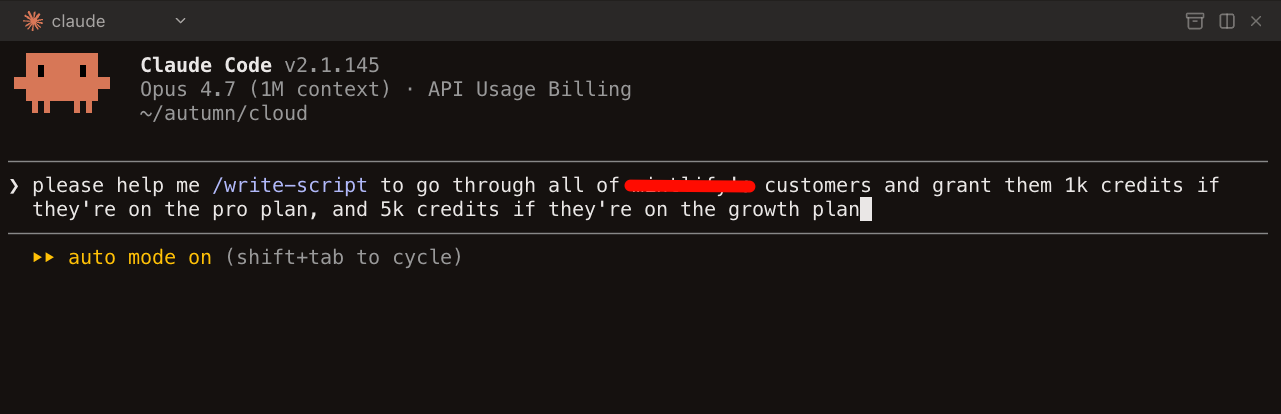
Here's our full /write-script skill to give you an idea of the primitives we created:
````mdx
---
name: write-script
description: "Write a new scripts-v2 script. Use when asked to create, write, or scaffold a script that interacts with Autumn DB, Stripe, or customer data."
---
# Write a scripts-v2 script
> **Background on Autumn's data model.** For general Autumn domain concepts — FullCusProduct shape, the three item categories, prepaid pricing, entity-level vs entity-scoped — see the skills under `ai/config/skills/autumn/`. Read the relevant one (e.g. `customer-products`) BEFORE writing any script that mutates customer products, prices, or entitlements.
>
> **Stripe resource creation.** For helpers that create Stripe prices/products/meters tied to Autumn prices (idempotent, V1+V2 prepaid pairing, volume-tier shape), see `ai/config/skills/autumn/stripe-resources`. Read it BEFORE writing any catalog migration that touches Stripe.
>
> **Shared utility functions.** For the naming conventions (`is*`, `To`, `enrich*`, `find*`, `filter*By*`) and folder layout of `autumn/shared/utils/`, see `ai/config/skills/autumn/shared-utils`. Check it BEFORE writing inline `array.filter(...).some(...)` or `array.find(... === id)` over Autumn objects — there is almost certainly an existing helper.
1. Read [PATTERNS.md](PATTERNS.md) to pick the right script category
2. Create a dedicated folder for the script under `runs/{org-name}/`
3. Copy [template.ts](template.ts) as the scaffold into that folder
4. Fill in config: `id`, `org`, `env`, `dryRun: true`, `params`
5. If the script needs non-trivial Autumn DB selection logic, use the `write-autumn-query` skill first
6. Implement `run` using `s.step()` for inline phases, `s.run()` for named step functions, `s.batch()` for iteration
7. For multi-file scripts, put Autumn candidate-fetching files in `loaders/`, define steps with `step()`, and compose with `s.run()`
8. Name the entrypoint file after what it does; do not use `index.ts`
9. Check [SERVICES.md](SERVICES.md) for available imports
10. For Google Sheets exports, read [google-sheets.md](google-sheets.md)
## Rules
- `dryRun: true` by default
- All tunables in `params` -- no CLI args, no scattered constants
- Use `ctx.logger.info()` inside batch fn, never `console.log()`
- Named object params everywhere: `fn({ db, orgId })` not `fn(db, orgId)`
- `ctx` extends `AutumnContext` -- pass directly to server functions
- Never name files `index.ts` -- name after what the function does
- Always put the script entrypoint in its own folder under `runs/{org-name}/`
- Follow the `autumn-query-conventions` rule for Autumn DB query structure
- Prefer a `loaders/` folder for Autumn DB selection/query files instead of scattering them across entrypoints or ad hoc folders
- Outputs route to local `data/` on laptop, S3 (`scripts-us-east`) on trigger.dev — never call `node:fs` directly. Use `stores: { ... }` (preferred) or `await s.data.*`. Sync with `bun fs pull|push` (default mirrors all dirs; prompts before overwriting). Batch checkpoints live at `state/checkpoint.json`; dry-run checkpoints live at `state/dry-run-checkpoint.json` only when `checkpointDryRun: true`. Use `params.only` to force specific items to rerun even if checkpointed.
- When iterating `ctx.products`, filter to the latest version per product id first — the catalog carries historical versions, and most catalog migrations only want the latest. A 7-line `keepLatestVersionOnly` helper that picks `max(version)` per `id` is enough.
- **Keep the entrypoint focused on orchestration.** No inline helper functions, ad-hoc types, multi-line filter/map blocks, or detailed `ctx.logger.info` lines at the top level. Move them to `utils/` (or `steps/` if the work is a named phase). The entrypoint should read as a sequence of `s.run` / `s.batch` calls plus `params` / `stores` config — anything that takes more than 2–3 lines belongs in a sibling file. If the user asks for a log line or extra branching at the top level, put it in `utils/.ts` and call from the entrypoint.
## One script vs split audit + delete
Default to **one script** with `dryRun: true`. The dry run lists the targets in the `processed` CSV + per-item logs; flipping to `dryRun: false` mutates the same set. No separate audit step needed.
Split into `audit-*.ts` + `delete-*.ts` only when the work is complex enough to be bug-prone — e.g. the delete set depends on human review of the CSV, selection logic is expensive and should be frozen, or the audit has multiple output buckets (`for-script` / `not-for-script`).
When splitting, put both scripts in one folder sharing `config.ts`, `loaders/`, `steps/`:
- Folder name describes the task (`topup-blocks/`, not `audit-topup-balances/`).
- Each script is a top-level file with a searchable name mirroring the folder (`audit-topup-blocks.ts`, `delete-topup-blocks.ts`) — never `audit.ts` / `run.ts`.
- Each script keeps a unique `id` (logs only, decoupled from data folder).
- Siblings share ONE auto-detected `data/` folder. Downstream script reads upstream CSV via `${import.meta.dir}/data/outputs/.csv`.
- `dataDir` is an optional subdir under the script's own `data/` — rarely needed.
## step() + s.run() pattern (for multi-file scripts)
- Use `step({ id, run })` to define named phases of work with typed input/output
- Use `s.run(step, payload)` to execute -- ctx and s are auto-injected, caller only passes business params
- Orchestrators (steps that compose other steps) take `s` in their run function
- Leaf steps take only `ctx` + business params -- no `s`, no `data`, no mutation
- Utility/helper functions stay as plain functions, no `step()`
### Step-as-folder for multi-helper steps
When a single step grows past ~80 lines or starts pulling in 3+ named helpers, **promote it from a file to a folder**:
```
steps/
├── simple-step.ts # one-file step is fine when it's lean
└── complex-step/
├── complex-step.ts # the entry — exports the step({ ... })
├── identify-X.ts # selector / matcher
├── build-Y.ts # construct outputs (no DB)
└── apply-Z-mutations.ts # DB writes guarded by ctx.dryRun
```
Rules:
- The folder name MATCHES the entry file (`complex-step/complex-step.ts`) — searchable; never `complex-step/index.ts`.
- Each helper is a focused single-purpose file (`identify`, `build`, `apply`, `validate`, `summarize`). Avoid `utils.ts` / `helpers.ts` catch-alls.
- Other steps import only the entry (`./complex-step/complex-step`), never the helpers.
- This applies the same logic as the `loaders/` and `utils/` folders: keep the entrypoint focused on orchestration.
## Batch logging with `ctx.logger.set()`
Inside a batch fn, use `ctx.logger.set()` to build up per-item context that shows what happened. This is the primary per-item output — it produces a JSON block per item showing business-level detail (customer ID, email, mutations, skip reasons, etc.).
```typescript
fn: async ({ item: customerId, ctx, s }) => {
const customer = await loadCustomer({ ctx, customerId });
ctx.logger.set({ customerId, email: customer.email });
const result = await s.run(processCustomer, { customerId });
ctx.logger.set({ status: result.status, updates: result.stripeUpdates });
return result;
},
```
**Rules:**
- Always `ctx.logger.set()` the item identifier and key business fields early
- Add mutation details (what will be added/deleted/changed) so the output shows the plan
- Inner step start/end markers are suppressed by default in batch items — `ctx.logger.set()` replaces them as the primary output
- Set `verbose: true` on the batch to see inner step markers for debugging
- `ctx.logger.info()` still works for freeform log lines alongside `.set()`
## Formatting
- **Always run `bunx biome check --write` on all new/modified script files before finishing** — `format` only handles whitespace; `check` also applies import-organize, so the user's save-on-format is a no-op.
## Result convention
- Functions return typed data -- never mutate caller's objects
- Fallible steps return `{ ok: true; ... } | { ok: false; reason: string }`
- Caller checks `result.ok` to decide how to handle
- Batch `fn` returns the full typed item result
- Use `onResult` when the collected output row should be different from that result
````
## /axiom-investigate
Another lifesaving usecase is for our logging infrastructure. Internally, we have a skill called `/axiom-investigate`, which we use to debug customer issues by asking an agent to query and search our logs in Axiom, our logging provider. For instance, when we get a slack message, like this:
> This user subscribed to a plan with the Stripe Link method, but now auto top-ups aren't working for him. Do you know why this is happening?
We can just do this:
```bash
please /axiom-investigate this thread for the org 'X':
https://autumnpricing.slack.com/archives/C0ALUV7GGGZ/p1779295652238089
```
It’s hard to overstate how impactful this skill has been. The time it takes to investigate issues has probably dropped 10x. Even our CEO, who had never touched Axiom before, now uses this skill daily.
This skill has been so effective (aside from the fact that we don’t sift through 100s of log lines just for a single issue), is because the results from the agent are highly accurate.
I think the reason this works so well is that we’ve spent a lot of time and effort into ensuring our logs are well structured with the right signals needed to debug issues, making querying and debugging a very repeatable process. For reference, the strategy we adopt is very similar to the concepts mentioned [here](https://loggingsucks.com/).
We never did this because we knew that we’d be able to use a coding agent over it — this was well before Opus 4.5 came out and long running tasks were the norm. It was simply because logical errors are more common as a billing company. However, because our logs are so structured, our agent has all the right primitives to deliver quick and accurate investigations.
Here's the full skill:
````mdx
---
name: axiom-investigate
description: "Investigate support tickets and debug customer issues using Axiom logs via the user-axiom MCP. Use when asked to investigate, debug, check logs, diagnose billing (attach, upgrade, cancel), entitlements (check, track, balance, rollover), or any customer issue."
---
# Axiom Investigation
## MCP tools
Use the `user-axiom` MCP server:
- `queryDataset` -- run APL queries. Accepts `apl`, `startTime` (default "now-30m"), `endTime` (default "now").
- `getDatasetFields` -- list all fields in a dataset. Use to discover schema before querying.
Always restrict `startTime`/`endTime` to the smallest range that covers the incident.
## Query precision rule
Never use `search` unless absolutely necessary. Broad search scans every field across many rows, which is slow, expensive, and usually less precise.
Prefer structured filters on fields like `context.customer_id`, `context.org_slug`, `req.url`, `stripe_event.*`, and `workflow.*`. When listing requests, add `isnotnull(statusCode)` so you fetch the one result log per request instead of every internal log line for that request.
## Dataset
All server logs go to the **`express`** dataset via `@axiomhq/pino`.
## Field reference
Every log line has standard Pino fields plus structured bindings:
| Path | Fields | Description |
|------|--------|-------------|
| `context.*` | `org_id`, `org_slug`, `env`, `customer_id`, `auth_type`, `user_id`, `user_email`, `api_version` | App context -- org, customer, auth |
| `req.*` | `id`, `name`, `url`, `method`, `body`, `query`, `user_agent`, `ip_address`, `timestamp` | Request metadata. `req.id` is the trace ID for correlating logs within one request. |
| `stripe_event.*` | `id`, `type`, `object_id` | Stripe webhook event context |
| `workflow.*` | `id`, `name`, `payload` | Background worker/job context |
| (top-level) | `msg`, `level`, `statusCode`, `durationMs`, `res`, `extras`, `error`, `done` | Per-log-line fields |
**`level`** values are uppercase strings: `DEBUG`, `INFO`, `WARN`, `ERROR`.
**`extras`** is a JSON object with domain-specific data (billing plans, webhook changes, etc.). Parse with `parse_json(tostring(extras))`.
**`auth_type`** values: `PublicKey`, `SecretKey`, `Stripe`, `Worker`, `Vercel`, `Revenuecat`.
## Investigation workflow
### 1. Scope
Filter by `context.customer_id` or `context.org_slug` plus a time range. Always start narrow.
### 2. Find the incident window FIRST
Heavy queries over wide ranges time out. Run a cheap aggregate first to locate WHEN, then a focused query in a tight window.
**Pass A — cheap, wide.** `summarize` over `bin(_time, ...)`, ≤3 columns:
```
['express']
| where ['context.customer_id'] == 'CUSTOMER_ID'
| summarize errors = countif(level == 'ERROR'), total = count() by bin(_time, 5m)
| sort by _time desc
```
**Pass B — heavy, narrow.** Use MCP `startTime`/`endTime` to bound to ≤1h around the bucket Pass A surfaced. Use `parse_json`, joins on `req.id`, etc. Skip `project` — pulling the full row keeps debugging interactive (you don't have to re-run when you realize you need another field). Skip `sort by _time asc` too — Axiom's natural order suffices. Only add an explicit `sort by` when you genuinely want the OPPOSITE direction (`desc` for newest-first browsing).
If Pass A is empty, widen Pass A or change the predicate — don't run Pass B. If Pass A finds multiple buckets, run Pass B once per bucket.
### 3. Triage
Inside the narrowed window, look at errors and warnings first (`level == "ERROR" or level == "WARN"`), then broaden to INFO if needed.
### 4. Trace
Use `req.id` to follow a single request across all its log lines. Use `stripe_event.id` to trace a webhook through its handlers.
## Query templates
**All logs for a customer in a time window:**
```
['express']
| where ['context.customer_id'] == 'CUSTOMER_ID'
| where ['context.org_slug'] == 'ORG_SLUG'
```
**Errors/warnings for a customer:**
```
['express']
| where ['context.customer_id'] == 'CUSTOMER_ID'
| where level in ('ERROR', 'WARN')
| sort by _time desc
```
**Stripe webhook events for a customer/org:**
```
['express']
| where ['context.org_slug'] == 'ORG_SLUG'
| where isnotempty(['stripe_event.type'])
| sort by _time desc
```
**Worker job failures:**
```
['express']
| where isnotempty(['workflow.name'])
| where level in ('ERROR', 'WARN')
| sort by _time desc
```
The omitted `project` is intentional — pull the whole row so you can pivot mid-investigation without re-running. The omitted `sort by _time asc` is intentional — Axiom's natural order is fine; only add `sort by _time desc` when you specifically want newest-first.
## Never use `search` unless absolutely necessary
Only fall back to `search` if (1) the identifier has no obvious structured field, AND (2) the time window is ≤1h. Otherwise: query a structured field, or use Pass A to find the time bucket first, then narrow.
## Share URLs (when user asks to verify)
Axiom org slug: **`autumn-cxdq`**.
Build a clickable explorer URL with the `initForm` param so the user lands on the same query:
```
https://app.axiom.co/autumn-cxdq/query?initForm=
```
where `` = `encodeURIComponent(JSON.stringify({ apl, queryOptions: { quickRange } }))`. `apl` is the full query (start with `['express']\n...`); `quickRange` is `15m` / `1h` / `24h` / `7d` / `30d` / `90d`.
Generate via Bash to avoid encoding mistakes:
```bash
node -e "const q={apl:\`['express']
| where ...\`,queryOptions:{quickRange:'7d'}};console.log('https://app.axiom.co/autumn-cxdq/query?initForm='+encodeURIComponent(JSON.stringify(q)))"
```
Default to `quickRange` covering the incident window. Whenever the user asks for a query URL or wants to verify a finding, output the URL using this method.
## Domain-specific guides
Read these when the investigation falls into a specific domain:
- **Billing** (attach, upgrade, downgrade, cancel, payment, checkout, auto top-up): read [billing-investigation.md](billing-investigation.md)
- **Entitlements** (check, track, balances, rollovers, `allowed`): read [entitlement-investigation.md](entitlement-investigation.md)
- **Stripe Webhooks** (subscription lifecycle, invoice payment/failure, checkout, schedule changes, customer timeline): read [stripe-webhook-investigation.md](stripe-webhook-investigation.md)
- **Redis slow commands** (latency, cache perf, SLO breaches, V2 FullSubject cache): read [redis-slow-command-investigation.md](redis-slow-command-investigation.md)
- **Infrastructure** (worker queues, rate limiting): _coming soon_
````
## Final thoughts
Incidentally, Autumn itself happens to fall into this category of tools: systems that create this abstraction layer, which I believe is best described as an interface which allows humans and agents to work together more effectively.
It’s an abstraction layer representing your application's pricing and billing state, and we’ve spent a lot of time designing it to be flexible, but intuitive. As a result, coding agents interact with billing systems much more effectively.
For instance, sales teams can update deals, grant entitlements, or manage customer billing schedules directly from Slack. GTM teams can make entire pricing changes and migrations without ever involving engineering.
This wasn’t something we thought about when we first started Autumn, but it’s definitely why we’re more bullish than ever on what we’re building.
---
Source: https://useautumn.com/blog/coding-agents-and-abstractions
Section: Blog
Last updated: 2026-05-21